
Public transport integration
Bus Digital Signage Solutions for Public Transport
Connect the passenger journey with display hardware for onboard information, destination messages and bus-stop departures. AD Series supports integrators with the displays and engineering needed to work around an existing passenger information system.
Define the passenger information before the screen
Bus digital signage can carry next-stop messages, route maps, interchange information, service notices and advertising. Start by identifying what passengers need to see, where they will be standing or seated, and which messages take priority. The software platform remains responsible for content and data; the display needs to present that information clearly in the available space.
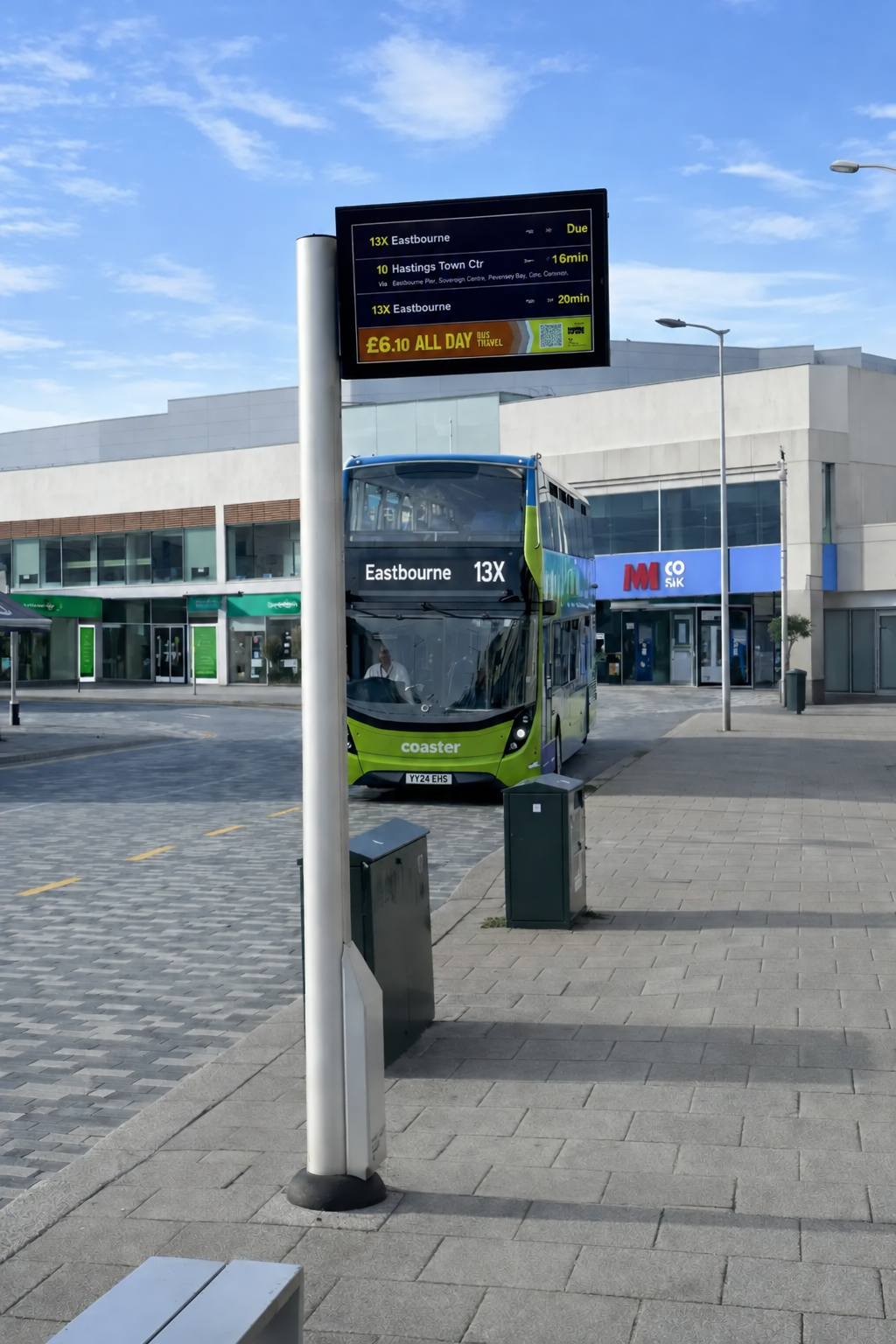
Choose a format for each part of the journey
Stretched onboard LCDs suit restricted spaces above windows, doors or the aisle. Standard-format screens offer more vertical space for maps and mixed layouts. External destination displays identify the route before boarding, while bus-stop and platform displays serve waiting passengers. These are different operating environments, so one screen configuration should not be assumed suitable for all four applications.
Integrate with your existing PIDS and CMS
AD Series supplies the hardware layer for passenger information display systems (PIDS), with player, operating-system, connectivity and control options agreed around the integrator’s architecture. Confirm the actual software version, content resolution, data connection and update behaviour. CMS-agnostic integration means evaluating the selected combination; it does not mean that every application runs on every player.
Plan power, mounting and service access
For onboard use, review the vehicle supply, start-up and shutdown behaviour, mounting loads, cable routing, temperature and access for replacement. R10 or R118 requirements must be checked against the selected product and project. A nominal 24V vehicle supply does not establish direct compatibility with a particular display. For outdoor stops, specify exposure, enclosure protection and ambient-light control separately.
Support the network after deployment
Intelligent remote diagnostics can help the service team investigate display status and selected operating conditions where those functions are configured. Agree what is measured, who receives alerts and how a fault is escalated. Our UK commercial and technical team works with Shenzhen engineering and manufacturing to support validation, production and lifecycle planning while you retain the customer relationship.
What to include in your project brief
- Passenger messages, priorities and viewing positions
- Onboard, destination and waiting-area display locations
- CMS/PIDS version, player and data responsibilities
- Vehicle power, mounting and applicable approval requirements
- Remote diagnostics, replacement access and rollout support
Discuss the engineering behind your project
Share your application, drawings, quantity, operating environment and software requirements. Please include your company name, contact details and email so we can register the enquiry and prepare the appropriate technical information and an official quotation.
Discuss your display project